Choose a suitable card to start learning. Our card covers topics from data structure, algorithm, curated list of company interview questions, and behavior question tips.
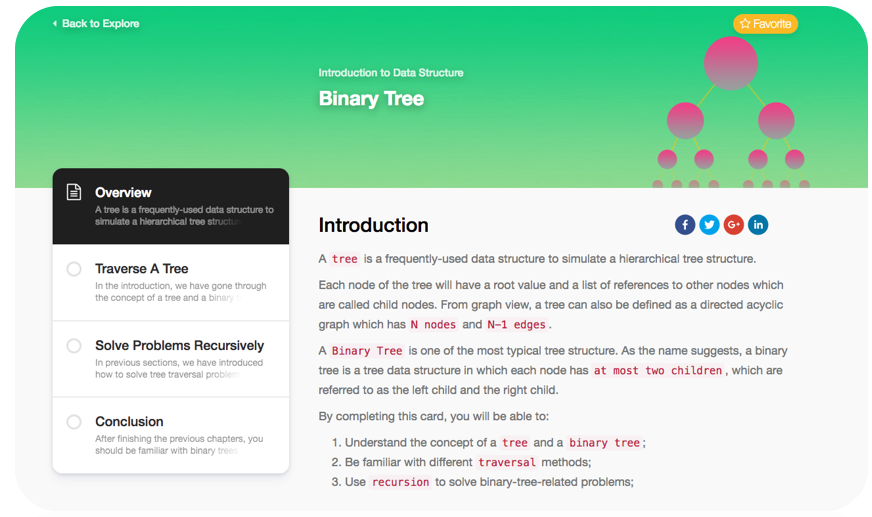
When you open an Explore card, you can clearly see the structure of the topic. By default, we will take you to the overview page automatically. The overview page introduces the Explore topic and the catalog of the card. With the catalog, you can switch between chapters and control the learning process easily.
Below is an example of our Explore interface.
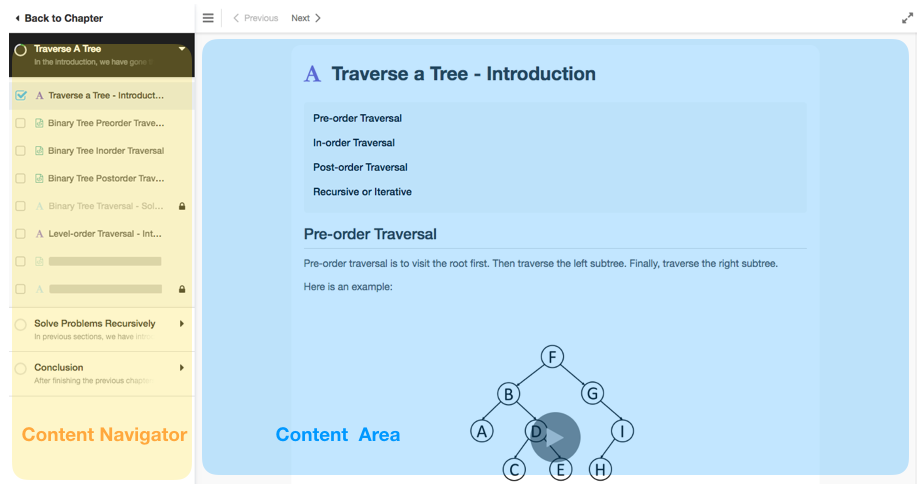
Content Navigator: The Content Navigator on the left shows you the structure of the card. Whenever you finish reading an article or complete a question, the checkbox will automatically be checked to indicate the completion status. You can also click the checkbox to undo the status and mark the corresponding item as incomplete.
Content Area: This area will display the corresponding content according to your selection, it could be either an article, a video or a question, etc.